Beta Release: Try it now!

Voice Dictation for Linux, Finally Done Right

100% offline voice dictation for Linux.

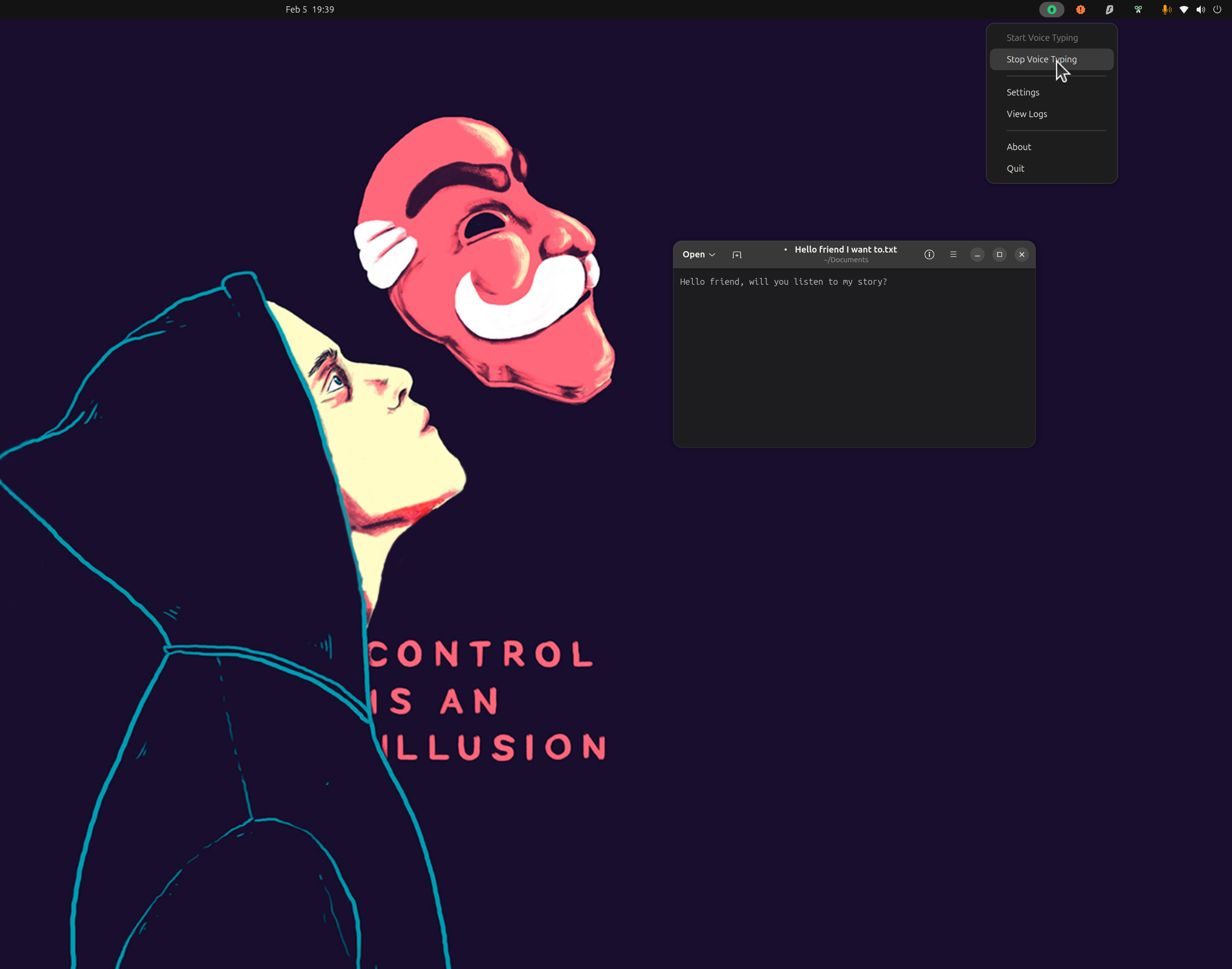
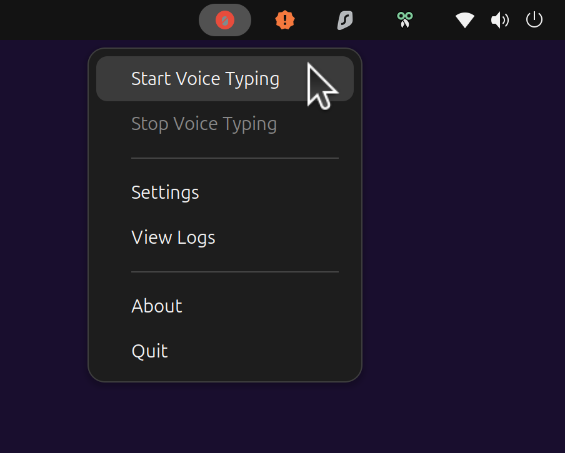
Use toggle mode or push-to-talk and start speaking.

Quick Install (Interactive)

Guided installation with hardware detection

$ curl -fsSL \
  https://raw.githubusercontent.com/jatinkrmalik/vocalinux/main/install.sh \
  -o /tmp/vl.sh && \
bash /tmp/vl.sh --interactive

Compatible: Ubuntu, Fedora, Debian, Arch, openSUSE & more

Guided setup~1-2 min default
whisper.cpp defaultVulkan GPU readyInteractive engine choice
100% Offline
No Telemetry
Local Models
X11 & Wayland

Try a Speech-to-Text Preview in Your Browser

This preview runs when your browser exposes SpeechRecognition. Vocalinux itself runs offline after install.

Checking browser support...

Offline Voice Dictation Features for Linux

Finally, Linux users get the voice dictation experience they deserve. no compromises on privacy, no cloud dependencies, just pure productivity.

The Linux Voice Gap, Solved

While macOS and Windows have had built-in voice dictation for years, Linux users have been left behind. Until now.

  • No more cloud services that compromise privacy
  • No more janky solutions that only work in specific apps
  • No more complicated setup processes
  • Just install and start dictating
Vocalinux
Vocalinux
Voice dictation, finally
0
Cloud calls
Privacy

How to Install Voice Dictation on Linux

One command. That's all it takes.

Recommended: interactive installer

Detects your system, lets you choose an engine, and sets up the desktop app.

$ curl -fsSL \
  https://raw.githubusercontent.com/jatinkrmalik/vocalinux/main/install.sh \
  -o /tmp/vl.sh && \
bash /tmp/vl.sh --interactive

Choose your engine during setup

Start with the guided installer, then pick the runtime that fits your hardware.

Compare engines
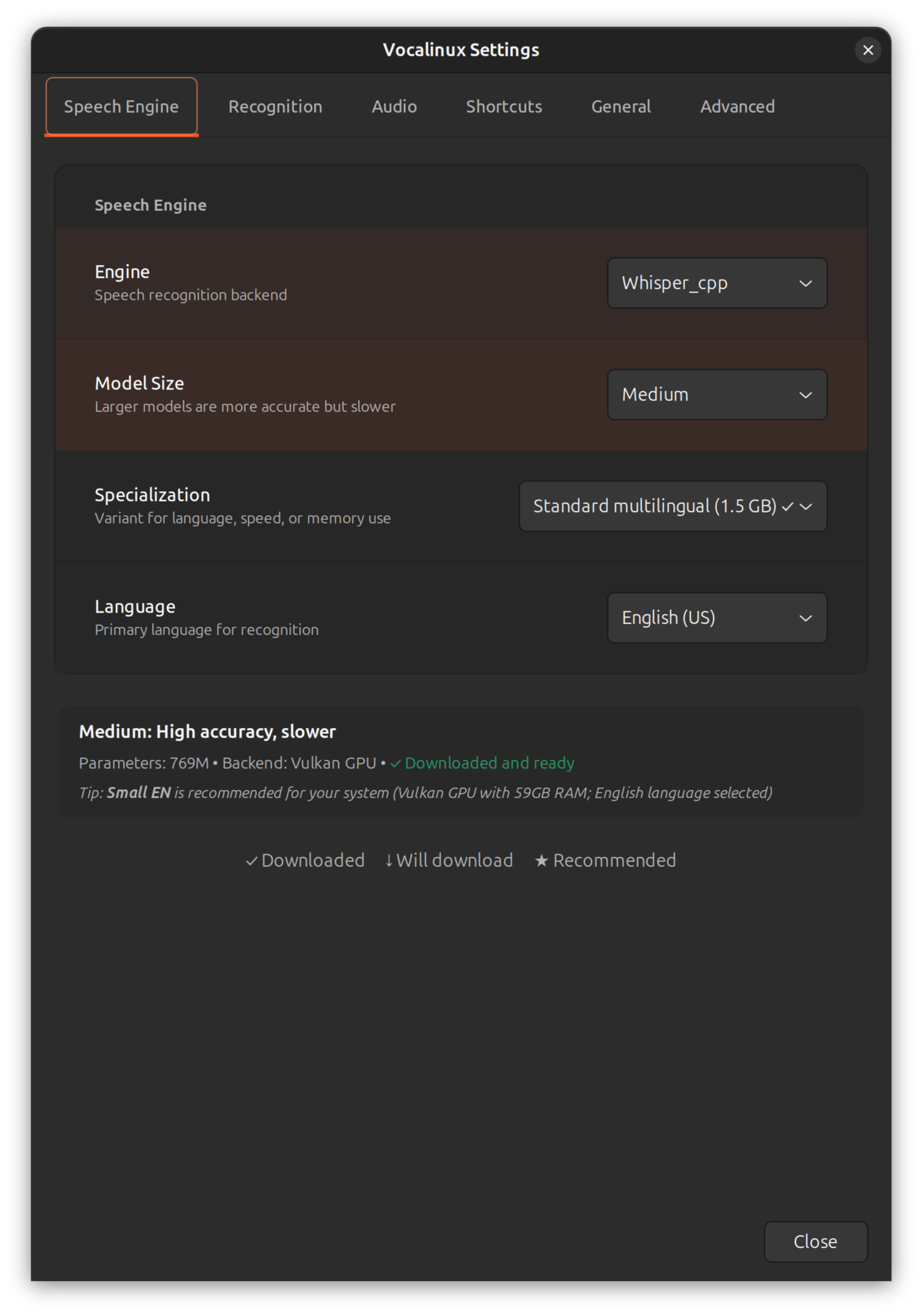
whisper.cpp

Default, fast, Vulkan-capable

Whisper

PyTorch/CUDA workflow

VOSK

Small footprint for older systems

What the installer does:

  • Installs system dependencies
  • Creates isolated virtual environment
  • Downloads speech recognition models
  • Sets up desktop integration
  • Adds vocalinux to your PATH
  • Creates application launcher

After Installation

Launch Vocalinux from your terminal or application menu:

vocalinux

System Requirements

  • • Ubuntu, Debian, Fedora, Arch, openSUSE, or equivalent
  • • Python 3.9+ with GTK 3/PyGObject dependencies
  • • 4GB RAM minimum; 8GB+ recommended for larger models
  • • Microphone plus X11 or Wayland desktop session
  • • ~200MB disk for the default whisper.cpp setup
  • • Optional Vulkan GPU for AMD, Intel, or NVIDIA acceleration

Uninstall

Clean removal in one command

$ curl -fsSL \
  https://raw.githubusercontent.com/jatinkrmalik/vocalinux/main/uninstall.sh \
  -o /tmp/vul.sh && \
bash /tmp/vul.sh

Linux Voice Dictation Guides by Distribution

Follow distro-specific setup instructions for Ubuntu, Fedora, and Arch Linux. These pages are written for real desktop workflows and include post-install checks.

Need help choosing an engine?

Compare whisper.cpp, Whisper, and VOSK for speed, hardware support, and model size.

View speech engine comparison

Choose Your Linux Speech Recognition Engine

Vocalinux supports local and remote speech recognition engines. Pick the one that suits your hardware, privacy boundary, and latency needs.

Whisper (OpenAI)

OpenAI's original PyTorch-based Whisper model. NVIDIA GPU only.

  • PyTorch-based implementation
  • NVIDIA GPU support (CUDA)
  • Same accuracy as whisper.cpp
  • Larger download (~2.3GB)
Install time: ~5-10 minutes with PyTorch

whisper.cpp

High-performance C++ port of Whisper with Vulkan GPU support. Our new default!

  • 10x faster installation (~1-2 min)
  • Universal GPU support (AMD/Intel/NVIDIA)
  • C++ optimized, true multi-threading
  • Tiny model only ~74MB
Model sizes: Tiny (74MB) • Base (141MB) • Small (465MB) • Medium (1.5GB) • Large (3.0GB)
Default engine

VOSK

Lightweight, fast speech recognition engine perfect for lower-powered systems.

  • Very lightweight and fast
  • Low memory footprint
  • Great for real-time streaming
  • CPU only, minimal resources
Footprint: ~40MB model, minimal CPU/RAM usage

Remote API

Send utterances to a trusted OpenAI-compatible or whisper.cpp server when another machine should handle transcription.

  • OpenAI-compatible endpoint support
  • whisper.cpp server support
  • Optional bearer token authentication
  • Local VAD and text injection remain active
Best for: powerful LAN servers and shared Whisper backends

Frequently Asked Questions

Is Vocalinux really 100% offline?

Yes for local engines: whisper.cpp, Whisper, and VOSK process speech on your machine. Vocalinux also includes an optional Remote API engine for trusted servers you configure yourself. Read more about offline voice dictation.

Does Vocalinux collect usage telemetry?

No. The installed app does not send usage telemetry, analytics events, or background usage pings. Even the project maintainer cannot see how many people have installed or actively use Vocalinux, and you can verify this by watching for external network calls after installation.

Which Linux distributions are supported?

Vocalinux works on most modern Linux distributions including Ubuntu 22.04+, Debian 11+, Fedora 39+, Arch Linux, and openSUSE Tumbleweed. Experimental support is available for Gentoo, Alpine, Void, Solus, and more. It supports both X11 and Wayland display servers. See installation guides.

How do I switch between speech engines?

You can switch engines in the Settings dialog or via the command line. The options are whisper.cpp (default), OpenAI Whisper, VOSK, and Remote API. From the CLI, use "--engine whisper_cpp", "--engine whisper", "--engine vosk", or "--engine remote_api". Compare all engines.

Can Vocalinux use a remote transcription server?

Yes. v0.12.0 adds Remote API recognition for OpenAI-compatible Whisper servers and the whisper.cpp server endpoint. Configure it from Settings → Advanced → Remote Server. Read the Remote API guide.

What is Silero VAD?

Silero VAD is neural voice activity detection. Vocalinux uses it when ONNX Runtime support is available to drop silence-only buffers before recognition, with amplitude-based VAD as a fallback. Learn about VAD.

What happens when I close my laptop lid?

Vocalinux v0.10.1+ automatically recovers speech recognition and keyboard shortcuts after system suspend/resume. No manual restart needed. See reliability improvements.

Does Vocalinux preserve my keyboard layout?

Yes! v0.10.1+ preserves your XKB keyboard layout when activating IBus, so you won't unexpectedly switch to US layout mid-dictation.

What are the system requirements?

Minimum: 4GB RAM, Python 3.9+, ~200MB disk space. 8GB+ RAM recommended for larger Whisper models. The default whisper.cpp tiny model (~74MB) works great on modest hardware. GPU acceleration is available via Vulkan for AMD, Intel, and NVIDIA GPUs. View full installation requirements.

Can I use it in languages other than English?

Yes! whisper.cpp and OpenAI Whisper support 99+ languages with varying accuracy levels. VOSK includes models for 10 languages out of the box (English, Hindi, Spanish, French, German, Italian, Portuguese, Russian, Chinese, and more). Additional language models can be downloaded as needed. See supported languages.

How do I customize the activation shortcut?

The default is toggle mode with double-tap Ctrl. You can switch to push-to-talk in Settings, and choose between Left Ctrl, Right Ctrl, Alt, Shift, and other modifier keys. Configuration is also available by editing ~/.config/vocalinux/config.json. View shortcut options.

Can I disable voice commands?

Yes. Voice commands can be toggled on or off in the Settings dialog. By default, commands are automatically enabled for VOSK and disabled for Whisper/whisper.cpp, but you can override this at any time. Learn about voice commands.

Is Vocalinux free?

Yes, Vocalinux is completely free and open-source, licensed under GPL-3.0. No premium tiers, no subscriptions, no tracking. Just free software. Learn about the project.

The Voca Family

Voice dictation, done right, on every platform.

Beta
macOS

VocaMac

Native macOS menu bar app. 100% offline voice-to-text powered by WhisperKit and CoreML with Apple Silicon acceleration.

WhisperKitCoreMLApple SiliconAGPL-3.0
Beta
Linux

VocaLinux

Voice dictation for Linux. System tray app with whisper.cpp, Vulkan GPU acceleration, and full offline support.

whisper.cppVulkan GPUGTKGPL-3.0
Coming Soon

VocaWin

Voice dictation for Windows. Native system tray app with offline-first architecture. Currently in planning.

whisper.cppNative TrayPlanned

Ready to Ditch Your Keyboard?

Join the growing community of Linux users who have discovered the power of voice dictation. It's free, it's private, and it just works.